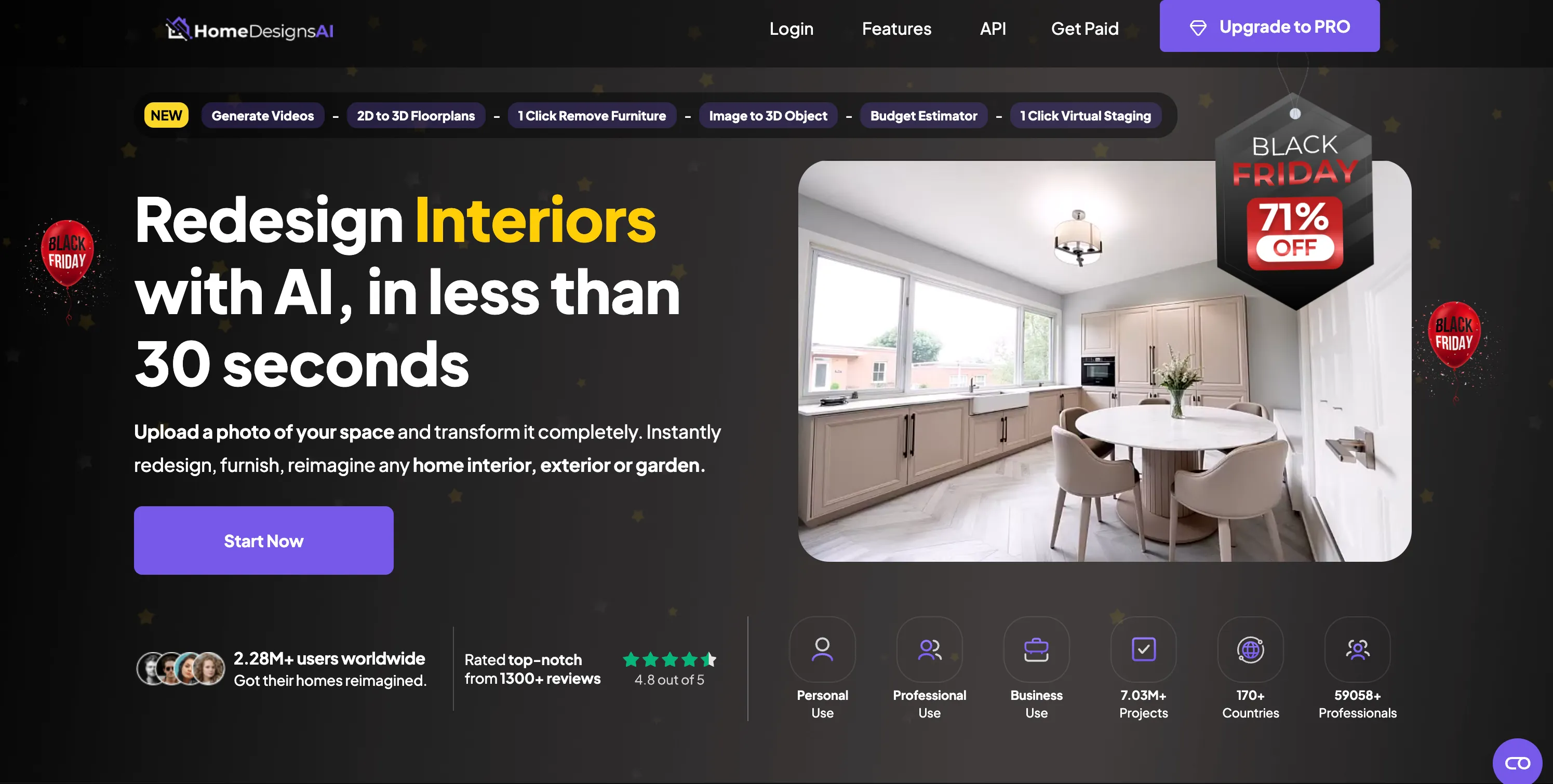
Trying to decide between BrightShot and AI HomeDesign for your virtual staging?
Both are solid options—but they’re built for slightly different realities.
Where BrightShot is a lean, AI-only marketing engine focused on speed, cost, and social-ready output, AI HomeDesign is a hybrid platform that mixes AI tools with a premium human-designer service.
This long-form comparison breaks down pricing, workflows, image quality, and real-world scenarios so you can decide which platform fits your business today—and where you want it to be in the next 12 months.
Key Finding:
If you mainly want fast, affordable AI staging and video content for every listing, BrightShot usually wins on price and output per euro. If you occasionally need designer-perfect hero shots with human involvement and unlimited revisions, AI HomeDesign’s manual service can be worth paying extra for those special cases.
If you’re specifically researching alternatives, you might also like:
Want to test both yourself? Visit BrightShot and AI HomeDesign and run the same photo through each platform.
Quick Comparison Table
| Feature | BrightShot | AI HomeDesign |
|---|---|---|
| Starting Cost | From €9 (80 credits) | Pay-per-image AI staging; manual designer from ~$13.99/image |
| Pricing Model | Credits, no long-term lock-in | Mix of pay-per-image AI + separate manual designer pricing |
| Best Effective Price per AI Image | ~€0.11/image with larger credit packs | ~$0.24/image on high-volume AI-only usage (approx.) |
| Human Designer Option | ❌ No (fully AI-driven) | ✅ Yes (~$13.99/image with unlimited revisions) |
| Virtual Staging | ✅ Yes (multiple styles) | ✅ Yes (AI staging + designer staging) |
| Photo Editing Tools | ✅ Enhancement, declutter, construction, window views | ✅ Virtual staging, furniture removal, AI item removal, day-to-dusk, enhancement |
| Video / Reels Output | ✅ Focus on short-form and walkthrough content | ⚠️ Static images first, video requires external tools or workflow |
| MLS-Focused Output | ✅ Tuned for agents & portals | ✅ Good, especially with manual designer oversight |
| Best For | Agents & teams wanting max content per euro | Users wanting AI + manual designers in one place |
Overview: BrightShot vs AI HomeDesign
What is BrightShot?
BrightShot is an AI-first real estate marketing platform designed for agents, photographers, and small agencies that want to turn ordinary listing photos into marketing packages: staged images, window-view upgrades, and social-ready video—all from the same upload.
Instead of bundling architectural or floor-plan functionality, BrightShot stays focused on the assets that actually sell homes online:
- Eye-catching photos for listing portals
- Before/after visuals to show potential
- Short-form videos and scroll-stopping reels
- Consistent style across all listings
Core Mission:
Make high-quality visual marketing affordable and scalable enough that every listing—no matter the price point—gets professional treatment.
Key Highlights:
- 🇪🇺 European-based service with transparent pricing
- 💰 From €9 with credit packs instead of strict monthly caps
- ⚡ Processing times typically under a minute per batch
- 🪟 Window View Transformation to change what buyers see outside
- 🎬 Video & reels generation for Instagram, TikTok, and YouTube Shorts
- 🏗️ Construction / renovation mode to visualize “after” shots of fixers
What is AI HomeDesign?
AI HomeDesign is a virtual staging platform that combines AI automation with a human design studio. It’s especially known for:
- AI-based virtual staging from photos
- Furniture and item removal
- Day-to-dusk conversions
- The ability to escalate to human designers for more complex or premium jobs
Rather than being purely self-service, AI HomeDesign leans into the idea that some listings deserve a human designer’s touch, with a separate pricing lane for manual virtual staging including unlimited revisions on each image.
Core Mission:
Offer a platform where users can pick between quick AI staging and white-glove designer staging, depending on the importance of the listing.
Key Highlights:
- 🌐 Global platform aimed at real estate and design users
- 🛋 AI staging plus manual designer staging in one interface
- 🧹 Tools like furniture removal and item removal to clean up photos
- 🌅 Day-to-dusk and enhancement for curb appeal upgrades
- 💳 Per-image and package-based pricing, with separate manual designer fees
AI Home Design Alternative: Why Agents Are Switching to BrightShot
Looking for the best AI Home Design alternative? You’re not alone. Thousands of real estate professionals have discovered that BrightShot offers superior value, features, and workflow efficiency compared to AI HomeDesign’s expensive manual designer model.
Top 5 Reasons Agents Choose BrightShot as Their AI Home Design Alternative
1. Massive Cost Savings (90%+ Less Expensive)
While AI HomeDesign charges $13.99 per manually-designed image, BrightShot delivers professional AI staging for just €0.11 per image. For a typical 15-image listing:
- AI HomeDesign (manual): $209.85
- BrightShot: €1.65 (~$1.80)
- Your savings: $208+ per listing
2. Built-in Video Content for Social Media
AI HomeDesign focuses on static images, forcing you to use external tools for video content. BrightShot generates both staged photos AND social-ready videos (Instagram Reels, TikTok, YouTube Shorts) from the same upload—no additional software needed.
3. Faster Turnaround Times
AI HomeDesign’s manual designer option requires hours to days for revisions and feedback cycles. BrightShot’s AI processes entire listings in under 60 seconds, perfect for tight market deadlines.
4. No Designer Management Required
With AI HomeDesign’s manual service, you need to write briefs, review drafts, and manage revision cycles. BrightShot’s AI understands real estate needs automatically—just upload and download professional results.
5. Superior Feature Set for Real Estate
BrightShot includes specialized real estate features that AI HomeDesign lacks:
- Window View Transformation: Change outdoor views to enhance property appeal
- Construction Mode: Visualize renovation potential for fixer-uppers
- MLS-Optimized Output: Perfectly formatted for listing portals
🎯 Why This AI Home Design Alternative Works Better
AI HomeDesign was built for interior design enthusiasts who enjoy collaborating with human designers. BrightShot was built specifically for real estate professionals who need:
- • Predictable costs that don’t spike with designer fees
- • Instant results without revision cycles
- • Marketing-ready content including videos and social media formats
- • Scalable workflows for high-volume listing processing
This AI Home Design alternative eliminates the designer bottleneck while delivering results that buyers can’t distinguish from manual staging—for 90% less cost.
Feature-by-Feature Comparison: AI HomeDesign vs BrightShot
| Feature | AI HomeDesign | BrightShot (AI Home Design Alternative) | Advantage |
|---|---|---|---|
| Virtual Staging | ✅ AI + Manual Designer Options | ✅ Advanced AI Staging (15+ Styles) | BrightShot - Better AI, lower cost |
| Cost Per Image | $0.24 (AI) / $13.99 (Manual) | €0.11 | BrightShot - 50-90x cheaper |
| Processing Speed | Minutes (AI) / Hours-Days (Manual) | Under 60 seconds | BrightShot - Instant results |
| Video Creation | ❌ External tools required | ✅ Built-in videos & reels | BrightShot - All-in-one solution |
| Window View Changes | ❌ Limited sky replacement | ✅ Full view transformation | BrightShot - Unique feature |
| Construction/Renovation Mode | ❌ Not available | ✅ Specialized renovation visualization | BrightShot - Real estate focused |
| Designer Interaction Required | ✅ For best results | ❌ Fully automated | BrightShot - No management overhead |
| Bulk Processing | ⚠️ Expensive for volume | ✅ Optimized for high volume | BrightShot - Scale-friendly |
| Social Media Optimization | ❌ Manual export/editing | ✅ Platform-specific formats | BrightShot - Marketing-ready |
| MLS Compliance | ✅ Good with designer oversight | ✅ Built-in compliance | Tie - Both deliver compliant results |
The Verdict: While AI HomeDesign offers human designer escalation for ultra-luxury properties, BrightShot provides a more complete, cost-effective solution for 95% of real estate marketing needs. The only time to consider AI HomeDesign is for million-dollar+ listings where $200+ staging costs are negligible compared to commission potential.
Pricing Comparison: Where Do You Spend More?
Pricing is usually the deciding factor after you confirm that both tools can deliver decent results.
The most important differences:
- BrightShot: credit-based, optimized for volume and video
- AI HomeDesign: mixed model—AI images at moderate cost, manual designer images at premium cost
Imagine your average listing: 12–20 staged photos, a few key edits, and at least one video for social. How do the tools stack up then?
BrightShot Pricing (Credit-Based, Volume-Friendly)
BrightShot offers clear plans based on credits. Each transformation—whether it’s a staging, enhancement, window view, or video—costs a small number of credits, but the per-credit price stays low, especially on larger packs.
| Plan | Monthly Price | Credits | Approx. Cost per Credit | Ideal For |
|---|---|---|---|---|
| Basic | €9 | 80 | ~€0.11 | Solo agents testing or with few listings |
| Pro | €24 | 200 | ~€0.12 | Active agents & small teams |
| Premium | €49 | 450 | ~€0.11 | High-volume use and agencies |
What this means in practice:
- Staging 10–15 photos for one listing typically costs a few euros, not tens of euros.
- Adding video output doesn’t suddenly multiply your bill—it’s just more credits.
- You aren’t locked into a contract; you can upgrade or downgrade based on your upcoming listings.
AI HomeDesign Pricing (AI + Human Designers)
AI HomeDesign’s structure is different:
- AI virtual staging is billed per image or via bundles, with an effective per-image cost that tends to be higher than BrightShot’s per-image rate.
- Human designer virtual staging is billed around $13.99 per image, but includes unlimited revisions and designer oversight.
In practice:
- AI staging: good for day-to-day listing work if you like their output and per-image pricing.
- Human designer staging: better for luxury listings or key hero shots, but potentially expensive for high volumes.
If most of your properties are mid-market or entry-level, paying designer rates for every single room rarely makes financial sense. This is where BrightShot’s all-AI approach and low effective per-image cost become attractive.
Pricing: Side-by-Side View
| Aspect | BrightShot | AI HomeDesign |
|---|---|---|
| Entry-level spend | From €9/month | Starts per image; higher entry cost for large batches |
| Effective AI image cost | ~€0.11/image on larger packs | Often closer to ~$0.24/image (approx., depending on bundle) |
| Manual designer cost | Not offered (keeps prices down) | Around $13.99 per image with unlimited revisions |
| Video creation cost | Included via credits | Requires exporting images and using external tools |
| Long-term commitment? | No, easy to scale up/down | None required for AI images, but manual staging is expensive per asset |
| Best economic fit | Volume users & social-heavy marketing | Occasional high-end listings needing perfect designer staging |
💡 Quick Insight: Where BrightShot Saves You Money
With BrightShot, you can treat every listing as if it were a luxury listing—staged rooms, upgraded windows, and reels—without paying luxury-level editing fees. The low per-image credit price makes it realistic to stage all the key rooms for every property instead of picking just 1 or 2 “featured rooms” to control budget.
With AI HomeDesign, AI-only staging is reasonably priced for normal use, but adding manual designer images quickly adds up. It’s great when you really need them, but not ideal as your default setting for every single room in your pipeline.
Real-World Cost Scenarios
To make the trade-offs clear, let’s look at concrete examples. Numbers are approximate and meant to show relative behavior rather than exact invoices.
Scenario 1: One Mid-Range Listing
You have one listing this month:
- 12 staged photos
- 3 photos with clutter that you want cleaned
- 1 short video for social media
With BrightShot
- 12 staging transformations
- 3 declutter/enhancements
- 1 short video output
All of this fits comfortably into the Basic €9 plan, and you’re still likely to have credits left over for one more small listing or extra variations.
Cost: About €9 total (and you keep some credits).
With AI HomeDesign
Options:
-
AI-only route:
- 15 AI-processed images (staged & cleaned)
- Video has to be made elsewhere (or from stills, using a separate tool)
Cost: per-image AI fee × 15 photos (plus separate video editing cost and time).
-
Designer route for hero rooms:
- 4–5 key images with manual designer staging at ~$13.99 each
- Remaining rooms via AI staging
Cost: $55–$70+ just for the designer images, plus AI costs for the rest.
Result:
If your goal is a solid mid-range listing that looks great across portals and social, BrightShot gives you everything—including video—for a fraction of the cost of mixing AI + designer staging.
1 Mid-Range Listing
12 staged photos + 3 cleanups + 1 video
Scenario 2: Active Solo Agent with 4 Listings
You’re an active solo agent with 4 listings this month. Per listing, you want:
- 10 staged interior photos
- 2–3 cleaned-up shots (declutter or improved lighting)
- 1 video per listing
That’s roughly:
- 40 staged photos
- 10 enhancements
- 4 videos
BrightShot
This easily fits into the Pro or even Basic + occasional top-up if you keep things light.
- Total credits still remain manageable.
- You can afford to generate alternate versions (e.g., different styles) without blowing your budget.
Approximate cost: €24–€30 for the whole month.
AI HomeDesign
If you do AI-only staging:
- 50 AI images (staging + enhancement).
- 4 videos must be composed in another tool (time + possible subscription).
If you add manual designer staging for hero shots on each property:
- 2–3 designer images per listing × 4 listings = 8–12 designer images.
- At ~$13.99 each, that’s $112–$168 just for manual staging, plus AI images and external video tool costs.
Result:
BrightShot will typically cost you a fraction of the AI HomeDesign + video editor combo, and the workflow stays inside one platform.
Scenario 3: Boutique Marketing Agency
You run a small real estate marketing agency. Each month you handle:
- 15 listings
- 20–25 staged photos per listing
- 5–6 “story series” videos or reels across clients
You care about:
- Predictable cost per listing
- Speed and reuse of assets across channels
- Being able to offer packages at competitive prices without eroding your margins
BrightShot
You’ll likely go with the Premium plan (or combine multiple accounts if needed):
- Hundreds of credits per month
- Easy to predict per-listing cost
- All image and video outputs from a single upload batch
This lets you build service packages like:
- “Basic Visual Pack” (10 staged photos)
- “Social Boost Pack” (photos + reels)
- “Before/After Renovation Pack” (construction visualization + staging)
…and still preserve healthy profit margins.
AI HomeDesign
- AI-only staging may be manageable, but once you start mixing in manual designer images for multiple clients, costs quickly climb.
- You’ll also need a separate pipeline or tool for building reels and video content.
Result:
For agencies whose hero product is “high-output marketing, not bespoke interior design”, BrightShot is almost always the more profitable backbone.
Feature Comparison: What Each Tool Actually Does
Let’s move beyond price and look at what you actually get.
| Feature | BrightShot | AI HomeDesign | Winner |
|---|---|---|---|
| AI Virtual Staging | ✅ Yes, with multiple interior styles tuned for real estate | ✅ Yes, AI staging with style controls | Tie |
| Manual Designer Staging | ❌ No (keeps costs low) | ✅ Yes, with unlimited revisions per image | AI HomeDesign |
| Declutter / Item Removal | ✅ Declutter & enhancement modes | ✅ Furniture removal & item removal | Tie |
| Day-to-Dusk | ✅ Via enhancement options & presets | ✅ Dedicated day-to-dusk tool | Tie |
| Window View Change | ✅ View swaps with curated city, nature, and ocean scenes | ⚠️ Focus on sky replacement and light shifts | BrightShot |
| Construction / Renovation Mode | ✅ Yes, show “after renovation” look | ⚠️ Possible via creative staging, but not specialized | BrightShot |
| Short-Form Video / Reels | ✅ Built-in; optimized for social | ❌ Requires external tools | BrightShot |
| Designer-Level Styling | ⚠️ Strong for AI; no humans | ✅ AI + experienced human designers | AI HomeDesign |
| Best For | Agents, photographers, agencies | Mixed audience: DIY users + those needing designer help | Depends |
BrightShot: Marketing-First Strengths
BrightShot is strongest when you care about marketing output, not just images.
- Videos matter. Platforms like Instagram and TikTok reward motion. BrightShot bakes video into the workflow so you don’t need to learn editing.
- Window views matter. Changing what’s outside the window can be the difference between “meh” and “wow” in buyer perception. BrightShot specializes in that.
- Batch flow matters. Real agents don’t want to micro-manage each frame—they want a repeatable flow they can use every time they get new photos from a shoot.
If your main KPI is “How many listings can I make look excellent this month without blowing the budget?”, BrightShot matches that mindset.
AI HomeDesign: Hybrid Strengths
AI HomeDesign stands out when you want a hybrid service:
- Start with AI for speed.
- Escalate to human designers for tricky rooms or premium clients.
- Use tools like furniture removal or day-to-dusk to refine each hero image.
Agents who love working closely with designers, or who handle ultra-high-end listings where one image is worth spending $20+ on, often appreciate AI HomeDesign’s manual service lane.
It’s less ideal if:
- You want to treat every listing as a data point in a high-volume machine.
- You need consistent per-listing cost without big spikes.
- You rely heavily on video and social content, not just photos.
Workflow & Ease of Use
Onboarding and Learning Curve
-
BrightShot:
- Simple: upload images → pick what you want (staging, window views, video) → get results.
- Minimal knobs and sliders; the system is tuned for real estate defaults.
-
AI HomeDesign:
- You choose between AI staging or manual designer staging.
- For manual options, you may provide instructions and wait for revisions.
- More options can be good—but it also means more decisions and back-and-forth.
If you love creative collaboration (and don’t mind writing designer briefs), AI HomeDesign feels like working with a remote staging studio. If you prefer “click, generate, move on”, BrightShot feels more natural.
Turnaround Times
-
BrightShot:
- AI-only, so transformations and videos are generated quickly, typically in under a minute for normal-sized batches.
-
AI HomeDesign:
- AI staging is fast, similar to other AI tools.
- Manual designer staging takes longer (e.g., many hours to a day) and involves feedback loops if you want revisions.
For time-sensitive listings (tight go-live deadlines, fast-moving markets), you can’t beat all-AI pipelines like BrightShot.
When to Choose BrightShot vs AI HomeDesign
Choose BrightShot If…
-
You are a real estate agent or photographer.
Your main job isn’t interior design; it’s selling and marketing properties quickly and consistently. -
You want the maximum number of good-looking assets per euro.
You’d rather stage every room decently than stage just two rooms perfectly and leave the others untouched. -
Social media and video are non-negotiable.
BrightShot’s built-in video and reels capabilities mean you don’t need to bolt on another tool or editor. -
You need predictable costs and simple plans.
With credits, you roughly know: “This many credits ≈ this many staged rooms and videos.” -
You don’t want to manage designer communication.
You’d rather click once and let AI do its thing instead of writing long instructions and approving revisions.
Choose AI HomeDesign If…
-
You’re handling luxury or showcase properties.
A handful of images might seriously influence offer perception, so you’re comfortable paying designer rates for those hero shots. -
You like having a “last resort” human designer.
If AI staging ever misses the mark or a client has extremely specific taste, AI HomeDesign lets you escalate the work to human designers. -
You enjoy co-creating with designers.
If writing briefs, reviewing drafts, and requesting tweaks is your style, AI HomeDesign’s manual workflow can feel like having an outsourced staging partner. -
You don’t mind mixing tools for video.
You’re okay generating stills in AI HomeDesign and then pulling them into Canva, CapCut, or another editor for social media videos.
Detailed Scenario-Based Comparison
| Scenario | Better Fit | Reason |
|---|---|---|
| Standard suburban home, 3–4 key rooms | BrightShot | Cheap enough to stage everything + make a quick video for portals and social. |
| Luxury penthouse with demanding owner | AI HomeDesign (with designers) | Manual designer staging may justify higher per-image costs for key hero shots. |
| Agent doing 2–3 listings/month | BrightShot | Lower entry price and no need for complex workflows. |
| Marketing agency managing 20+ listings/month | BrightShot | Credits + video + speed = higher margins and simpler operations. |
| Interior designer showcasing vision boards | AI HomeDesign | Manual designers and AI combined can hit very specific aesthetic targets. |
| Bank-owned / distressed properties needing “after renovation” look | BrightShot | Construction/renovation mode plus low cost lets you tell a strong story for cheap. |
The Bottom Line: Who “Wins”?
There’s no universal winner—only a better fit for your particular workflow.
But if we look purely from the perspective of a typical real estate agent or small team, a pattern emerges:
- If you want volume, speed, video, and low cost → BrightShot is the default winner.
- If you want a safety net of human designers for a small percentage of listings → AI HomeDesign shines for those special cases.
BrightShot Wins On:
- 💰 Cost per asset, especially once you add video into the mix
- 🎬 Social media and video-first workflows
- 🚀 Speed and simplicity, all-AI and credit-based
- 🪟 Window view magic to upgrade what buyers see outside
- 📈 Scalability for agents and marketing agencies
AI HomeDesign Wins On:
- 🧑🎨 Manual designer staging with unlimited revisions
- 🛋 Fine-grained styling control when you co-create with designers
- 🏛 High-end hero images for flagship or luxury properties
A Common Hybrid Strategy
Many teams will end up doing something like this:
Use BrightShot for 90–95% of your images across all listings—for staging, window views, and videos.
Use AI HomeDesign’s manual designer staging for the 1–2 hero shots on a handful of top-tier listings per year.
That way, you reap the cost and speed benefits of an AI-centric workflow while still having access to human designers when a listing truly warrants that extra polish.
Final Cost-Benefit Snapshot
| Consideration | BrightShot | AI HomeDesign |
|---|---|---|
| Typical spend for 1 listing (full media) | Very low (covered by €9 plan) | Higher, especially if using manual designers |
| Ongoing monthly commitment | Flexible, credit-based | Pay-per-image; designer images add spikes |
| Best suited for | Agents, photographers, agencies | Users mixing AI staging with human design |
| Video & reels | Built-in | Requires separate tool |
| Cash-flow friendliness | High | Depends on how often you order designer work |
Short version:
If you’re primarily in the business of marketing properties at scale, BrightShot gives you more usable assets per euro, with less complexity. If you occasionally need portfolio-grade images curated by a human design eye, AI HomeDesign can be a powerful complement—but it’s rarely the most economical backbone for your entire pipeline.
Ready to Decide?
-
🚀 Want fast, affordable, and scalable marketing assets?
Start a plan at BrightShot.com and test your next listing entirely with BrightShot’s AI tools. -
🧑🎨 Want the option to send a few images to human designers?
Explore AI HomeDesign’s virtual staging and decide which properties are worth paying designer rates for.
And if you’re still on the fence, try this:
- Take the same 3–4 listing photos.
- Run them through BrightShot for staging + video.
- Run them through AI HomeDesign (AI-only and/or manual designer).
- Ask yourself: Which output would I be comfortable using on every listing, and which makes sense only for my top 5% properties?
Your answer to that question will usually tell you exactly which tool should be your primary platform—and which one, if any, should be used as a special-occasion upgrade.