The “what should I post today?” problem is the silent killer of real estate social accounts. Most agents start with energy, post for two months, run out of ideas, and quit. The agents who stick with it for years do so because they have a rotating bank of real estate social media post ideas that they can mix-and-match without ever facing a blank canvas.
This is that bank. Below are 29 real estate social media posts that consistently work in 2026, organized by goal: lead generation, brand building, community engagement, and education. Each idea includes a quick template and the platform it works best on. Use them as a 90-day calendar — one post per category per week and you’ll never run out of content.
Most of these formats can be shot on the phone you already own. For a quick primer on phone-only handheld property tour technique — the technical floor for everything in this list — this short tutorial is worth bookmarking before your next listing:
⚡ Skip the design work entirely — BrightShot generates AI captions, applies property overlays + brand watermarks, and publishes to Instagram, TikTok, and Facebook in one click. Try it free →
Lead-generation posts (Tier 1 — drive direct inquiries)
These are the posts that put DMs in your inbox. Cap them at 50% of your output — past that, your feed starts to feel like an ad and engagement drops.
1. Just Listed carousel
The bread-and-butter. Lead with the most striking exterior shot, then walk the buyer through 6-10 interior shots in the order someone would tour the home (entry → living → kitchen → primary bed → bath → outdoor).
Template: “Just listed in [neighborhood] — [bed]/[bath] for $[price]. [One sentence about the standout feature]. DM me ‘TOUR’ for a private 30-minute showing.”
Best on: Instagram carousel, Facebook, TikTok Photo Mode
2. Just Listed Reel
A 30-60 second walkthrough of the listing set to trending audio. Open with the strongest exterior or interior shot, then quick cuts through the rooms. Add property details as text overlay.
Template: Hook (first 3 seconds: ”$[price] in [city] — and the [feature] alone is worth seeing”) → 6-10 quick room cuts → CTA card at the end
Best on: Instagram Reels, TikTok
3. Just Sold celebration
Congratulate buyers/sellers, attach the listing photo, and credit the team that helped close. Compounds as social proof — buyers see “this agent closes deals.”
Template: “Closed today on [street name] in [neighborhood] — congratulations to [buyer name or ‘our buyers’] on [their first home / their dream home / their move-up]. [Specific detail about the deal — multiple offers, cash close, off-market]. DM me to start your search.”
Best on: Instagram, Facebook (older demos love these)
4. Open House announcement
Post 48 hours before the open house with the date, time, and 3-4 best photos. Reshare the morning of as a Story.
Template: “Open House this Saturday — [address], [time]. [Bed]/[bath] in [neighborhood] for $[price]. Light snacks, no pressure. DM if you want to skip the line and tour Friday evening.”
Best on: Instagram, Facebook (especially in local groups)
5. Price reduction announcement
Carousel format with the original price crossed out and the new price prominently displayed.
Template: “Price drop on [street] in [neighborhood] — now $[new price] (was $[old price]). [Reason if compelling — ‘motivated seller’, ‘new to market last week and ready to move’]. Worth a second look.”
Best on: Instagram carousel, Facebook
6. Coming Soon teaser
Post 3-7 days before listing goes live. Tease the neighborhood and price range without revealing the address.
Template: “Coming this Friday in [neighborhood] — $[price range], [bed]/[bath], [standout feature]. DM me ‘PREVIEW’ for the address before it hits MLS.”
Best on: Instagram, Stories (great for building list of motivated buyers)
7. Off-Market listing
The “I have a buyer for this kind of property” reverse pitch. Post a short description of what you’re looking for and let sellers self-identify.
Template: “Looking for: [bed]/[bath] in [neighborhood], $[price range], [must-have feature]. Have a serious buyer ready to move. DM me if you’ve thought about selling — no commitment, just a conversation.”
Best on: Facebook (especially groups), Instagram
8. Pocket Listing (private network)
For agents with established networks — share with email or close-network only, but tease publicly.
Template: “New to my private list this week — [neighborhood], $[range], won’t hit MLS. DM ‘PRIVATE’ for the full details.”
Best on: Instagram Stories, email follow-up
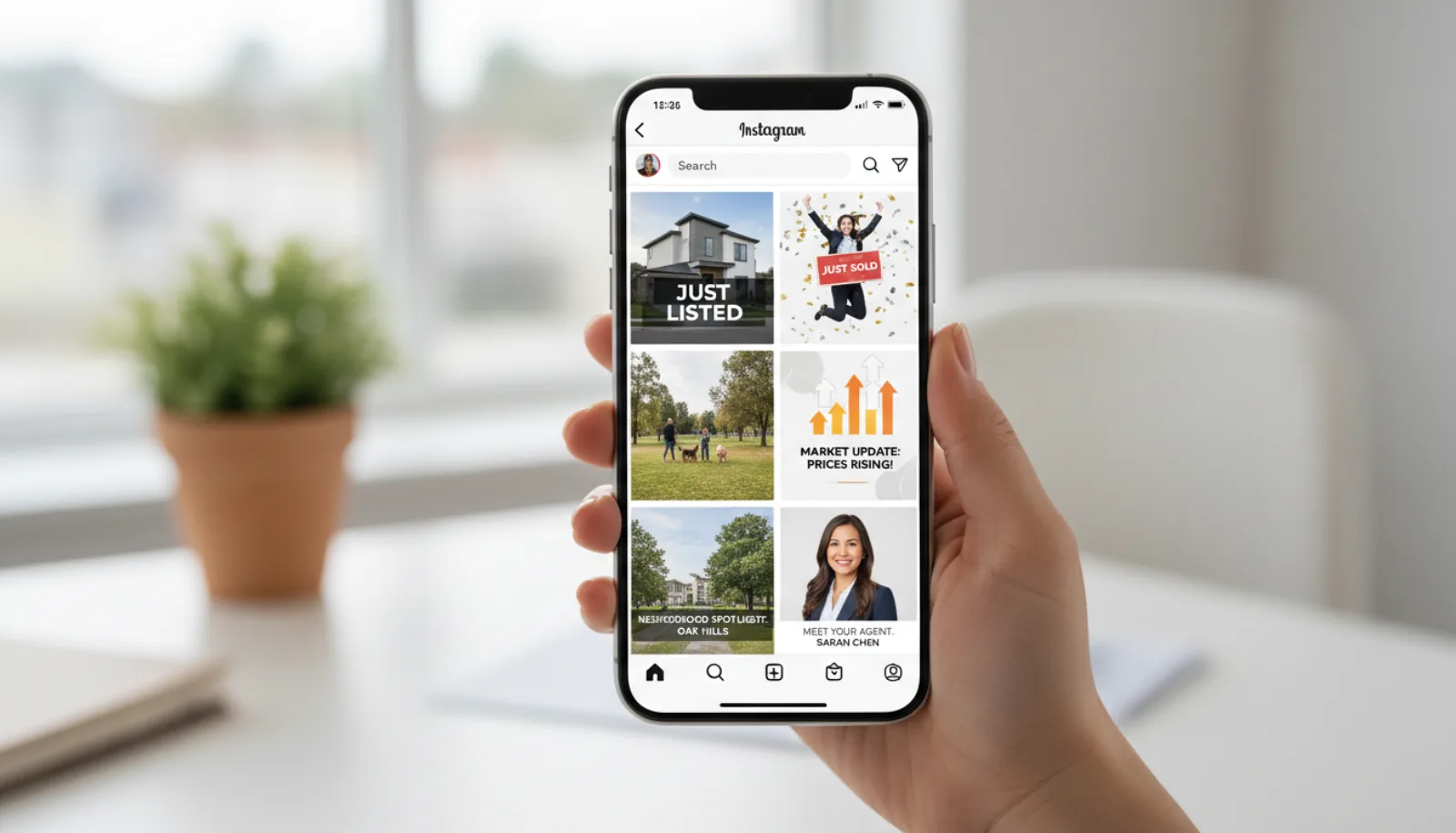
A working agent’s feed isn’t 29 different formats — it’s the same 5-7 templates rotated weekly. The mix below is roughly what a Tier-1-heavy week looks like in practice:
Brand and authority posts (Tier 2 — build trust over time)
These don’t drive leads same-week, but they’re what make sellers pick you over the next agent. Mix them at ~30% of output.
9. Monthly market update
Once a month, drop the local stats: median sale price, days on market, inventory level, year-over-year change. Use a clean carousel with one stat per slide.
Template: “[City] market update — [Month] 2026: Median sale price up X%, days on market down to Y, inventory level Z. Here’s what it means for buyers and sellers right now: [2-3 sentences].”
Best on: Instagram carousel, Facebook, LinkedIn
10. Neighborhood spotlight
Pick one neighborhood and feature it: 5 things to love, average price, walking score, restaurants, schools. Carousel format.
Template: “5 things you’ll love about [neighborhood]: 1. [school district], 2. [restaurant], 3. [park or amenity], 4. [community feel], 5. [average price]. The kind of place buyers don’t realize they want until they see it.”
Best on: Instagram, Facebook (local groups especially)
11. Day-in-the-life Reel
A 30-second behind-the-scenes of an actual workday: showings, lunch with a client, listing prep, signing day. Not staged — real.
Template: Quick cuts through 4-6 moments of your actual day with text overlay describing each. End with “this is why I love this work.”
Best on: TikTok, Instagram Reels
12. Buyer testimonial
Short video (30-60s) of a recent buyer talking about what made their experience good. If they won’t film, screenshot a great review and turn it into a carousel.
Template: Buyer talks for 30 seconds about (a) what they were looking for, (b) what made them pick you, (c) the moment they knew it was the right home. CTA card at the end.
Best on: Instagram, Facebook, all platforms
13. Seller testimonial
Same as buyer testimonial but emphasizing speed-to-close, multiple offers, or above-list-price outcomes.
Template: Seller talks about (a) why they were nervous to list, (b) the marketing strategy that won them over, (c) the outcome. Add the actual numbers if they’re impressive.
Best on: Instagram, Facebook
14. Before & After Reel
Best-performing format on Instagram and TikTok consistently. Show a property before staging/photography and after — the transformation is the hook.
Template: First 2 seconds: BEFORE photo with text “What we started with.” Cut to AFTER photo with text “What buyers saw.” Use BrightShot virtual staging to generate the staged version if you don’t have one.
Best on: Instagram Reels, TikTok
15. Recent closing milestone
“My X transaction this year” or “Just hit X total closings since starting.” Builds credibility through social proof.
Template: “Closed my Xth deal this year today. [Reflection on the year so far — 1-2 sentences]. Thank you to [team / clients] for the trust.”
Best on: Instagram, LinkedIn, Facebook
16. Agent personal story
Once a month, post something personal: why you got into real estate, a milestone in your kid’s life, a vacation. Buyers hire people they like — give them something to like.
Template: Open with the personal moment (“My daughter started kindergarten today”). Tie it back to the work loosely (“Reminded me why I’m so picky about which neighborhoods I recommend to families”). Don’t force the connection.
Best on: Instagram, Facebook
Educational posts (Tier 2 — build expertise)
Position you as the expert buyers and sellers should consult. Mix at ~20% of output.
17. “How [process] actually works” explainer
Pick a process buyers/sellers don’t understand and explain it in 30-60 seconds. Earnest money, appraisal contingency, escrow, closing costs — all evergreen topics.
Template: Quick title card (“How earnest money actually works”), then 4-5 short paragraphs of explanation, end with “DM me with questions about your specific situation.”
Best on: TikTok, Instagram Reels, YouTube Shorts
18. Buyer mistake compilation
“5 mistakes I see first-time buyers make” — listicle format that performs well.
Template: Carousel: 1 mistake per slide with brief explanation. Or Reel: voiceover walking through 5 mistakes with footage of you.
Best on: Instagram carousel, TikTok
19. Seller mistake compilation
Same as above but for the listing side.
Template: “5 reasons listings sit on the market too long” — carousel or Reel.
Best on: Instagram, Facebook
20. Mortgage rate context
Monthly post explaining what current rates mean for buyer monthly payments. Not financial advice — just context.
Template: “Rates are [current rate] this week. On a $400K loan, that’s $X/month vs $Y/month last year. What it means for your buying budget: [1-2 sentences].”
Best on: Instagram, Facebook, LinkedIn
21. Local market trend explainer
When something specific happens in your local market (new construction, zoning change, big employer move), explain it.
Template: “[News event] in [city] this week — here’s what it means for home prices: [your take, 100-150 words].”
Best on: Instagram carousel, LinkedIn
22. Renovation ROI explainer
“Which renovations actually pay back when you sell” — kitchen vs bathroom vs landscaping data.
Template: Carousel showing 4-5 common renovations with their typical ROI percentage. Reference NAR Cost vs. Value data.
Best on: Instagram, Facebook
23. Staging before/after with explanation
Take a real listing, show before and after, and explain WHY each change drives price.
Template: “We staged this living room because [reason]. The data: staged listings sell 73% faster (NAR). Here’s what changed and why.”
Best on: Instagram carousel + Reel, with BrightShot AI staging for the visuals
Community and engagement posts (Tier 2/3 — keeps you visible)
Lower-effort posts that keep your account active without requiring fresh listings or major content production. Mix at ~15-20% of output.
24. Local business shoutout
Highlight a coffee shop, restaurant, gym, or service in your farming neighborhood. Tag the business — they often reshare to their audience.
Template: “Stopped by [business] this morning — [genuine compliment]. Best [thing] in [neighborhood]. Tag a friend who hasn’t tried it.”
Best on: Instagram Stories, Facebook
25. Community event coverage
Live-post the local farmer’s market, parade, school event, neighborhood festival. Builds genuine community presence.
Template: Stories or short Reel of you at the event with brief commentary. “[Event] today — one of the things I love about [neighborhood].”
Best on: Instagram Stories, TikTok
26. Poll or question
“What’s your favorite [neighborhood] coffee spot?” or “Which kitchen would you pick — A or B?” Drives comments and DMs.
Template: Two-option image post or Story poll. Engage with every comment.
Best on: Instagram Stories (poll feature), carousel posts
27. Recent photo spot
Share an interesting building, sunset, or neighborhood moment. Doesn’t have to be real-estate-themed — keeps your feed visually rich.
Template: One-image post with brief context. “Walked past [location] today and had to share.”
Best on: Instagram
28. Throwback to a past closing
“This time last year I closed [memorable deal]” — keeps closed transactions working as social proof past the closing date.
Template: Original listing photo with caption recalling the deal. “One year later, [buyer/seller] is still the best part of this work.”
Best on: Instagram, Facebook
29. Year-end recap
End-of-year carousel with total closings, families helped, neighborhoods served. The annual social proof reset.
Template: Carousel with stats per slide: total transactions, total value moved, families helped. End with thank-you to clients.
Best on: Instagram carousel, LinkedIn, all platforms
The actual production setup is almost always smaller than agents fear — phone, ring light, a few props, and a written list of the day’s hooks:
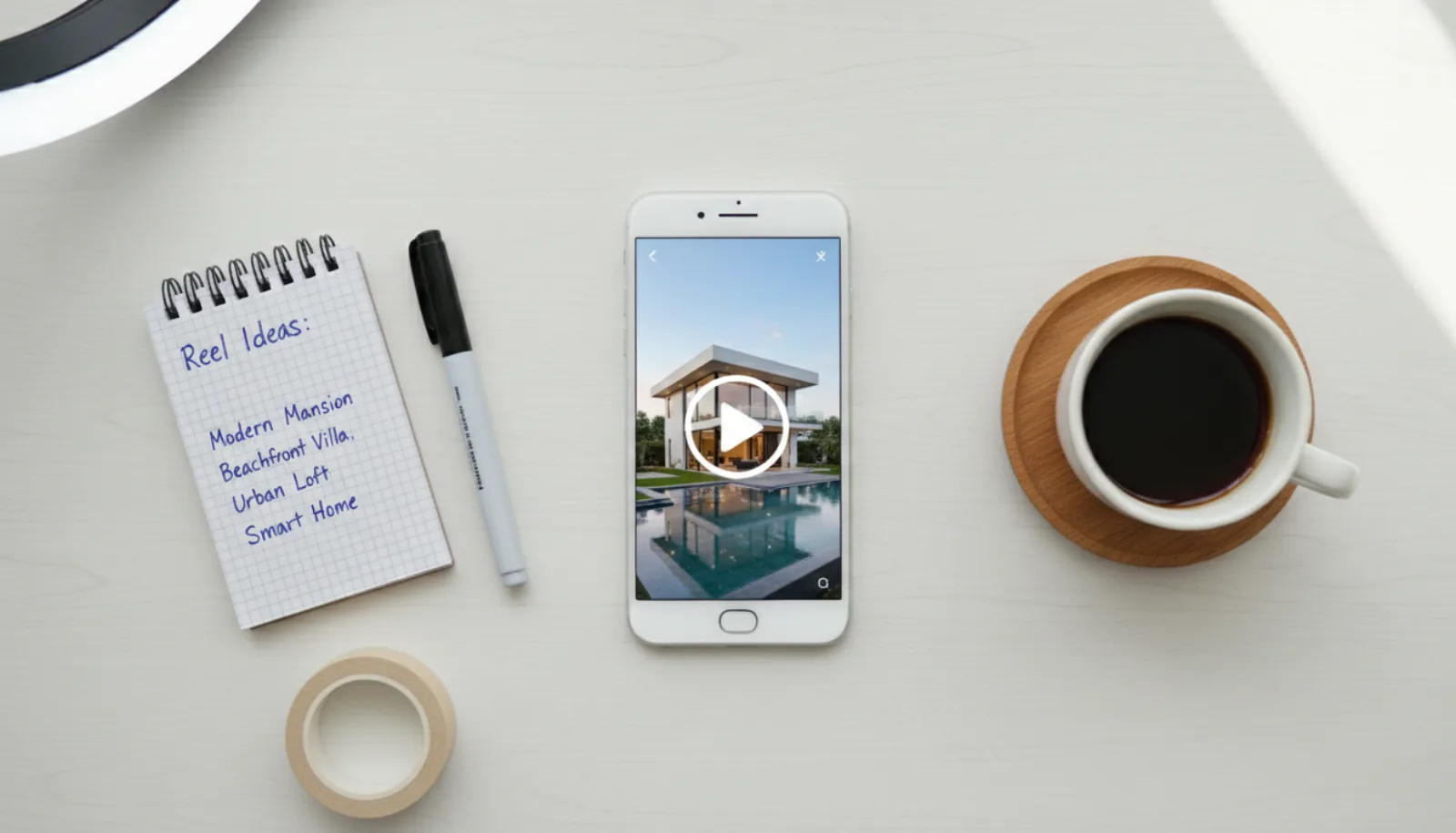
For 11 specific Reel formats that have demonstrably produced inbound leads — with on-screen examples for each — Jimmy Burgess’s breakdown is one of the most concrete walkthroughs available:
How to use these 29 ideas as a 90-day content calendar
Pick one post from each category per week:
- 1 lead-gen post (just listed, just sold, open house, price reduction, coming soon)
- 1 brand/authority post (market update, testimonial, day-in-the-life, before/after)
- 1 educational post (mistake compilation, mortgage context, renovation ROI)
- 1 community post (local business, event, throwback)
That’s 4 substantial posts per week + daily Stories. Sustainable for 90 days, refreshable in perpetuity by varying the specifics.
The bottleneck most agents hit isn’t running out of ideas — it’s the design and caption work for each post. AI tools that ingest your listing data and brand kit, then auto-generate the visual + caption + multi-platform publish, compress 30-45 minutes per post into about 60 seconds. That’s the difference between maintaining this calendar for 6 months vs. quitting at week 8.
⚡ Run this calendar without the design work — BrightShot’s social media automation generates AI captions, applies property overlays + watermarks, and publishes to Instagram, TikTok, and Facebook in one click. Real estate-specific. From $19/mo.
Take it further
- Social media marketing for real estate agents — the 2026 guide — strategy companion to this post-ideas list
- BrightShot Social Media Automation — the AI tool that produces these posts in seconds
- BrightShot vs Pedra — comparison of real-estate-specific social tools
- BrightShot AI virtual staging — for the before/after Reels
- BrightShot AI property videos — for the cinematic walkthrough content