
Most advice on using WhatsApp for real estate sounds the same. Blast property owners with cold messages. Buy a contact list. Drop “Are you thinking of selling?” into two hundred chats and hope someone replies.
That is the part of WhatsApp that gets agents banned, not booked.
The actual opportunity is the active buyer pipeline. Once a buyer raises their hand on Zillow, an Instagram ad, your website, or a yard sign, you have maybe ten minutes before attention drains away. Email will not catch them. A voicemail definitely will not. WhatsApp will, because that is the app already open on their phone.
If you want WhatsApp for real estate to move actual listings, treat it as a buyer-side workflow, not an outreach megaphone. The agents who do this well close faster, lose fewer leads to the database graveyard, and present visuals — staged photos, tour links, walkthrough videos — inside the same conversation where the inquiry started. That is the playbook this article covers.
Why WhatsApp Wins the Active Buyer Window
There is a narrow window between “I’m curious about this listing” and “I’ve already moved on.” Most agents lose listings here without realizing it.
A buyer browsing portals at 9 p.m. is not in deal-mode. They are in shopping-mode. They tap a contact form, type two sentences, hit send, and resume scrolling. By the time you see that lead in your CRM the next morning, they have looked at six other homes and possibly inquired with two other agents. The buyer who fills out three forms in one night is not disloyal. They are just impatient.
WhatsApp closes that window because the message lands on a screen the buyer already checks dozens of times a day. According to industry reporting, WhatsApp messages see open rates above 95% within minutes, while real estate email open rates frequently sit under 25%. That gap is not a marketing curiosity. It is the difference between catching a buyer mid-decision and trying to revive them three days later.
Where email follow-up dies
Email used to be the default channel for buyer communication. It still has its place for documents, contracts, and disclosures. But for live conversation, email has three failure modes that cost agents listings.
- Latency. A buyer expects a near-instant reply on a phone-native channel. Email replies arriving four hours later feel slow even when they are not.
- Filtering. Agent emails routinely land in promotions tabs, spam, or “later” piles. The buyer never sees them in time.
- Tone collapse. The same words feel formal in email and conversational in chat. Buyers reply more openly when the medium feels casual.
Phone has its own problems. Cold calls go unanswered, voicemail is largely abandoned by buyers under 40, and a missed call without a follow-up text reads as either a wrong number or a sales attempt.
WhatsApp removes those barriers. The buyer recognizes the format, replies in seconds, and leaves a thread you can reference later instead of a vague “we talked once.”
The five-minute response rule
There is a body of sales research that pegs the optimal response window for online inquiries at five minutes or less, with conversion rates dropping sharply after thirty minutes. Real estate is not different. The buyer who hears from you within five minutes is several times more likely to book a showing than the buyer who hears from you the next morning.
You cannot hit five minutes consistently with email. You can hit it with WhatsApp Business and a small set of saved Quick Replies, even when you are showing another property or driving home.
When WhatsApp is the wrong channel
WhatsApp is not a universal hammer. Use the right tool for the job.
| Situation | Better channel |
|---|---|
| Sharing a contract for signature | Email + e-sign |
| Walking through inspection results | Phone |
| Coordinating with attorneys or lenders | |
| Anything you need a paper trail on | |
| First reply to a listing inquiry | |
| Showing confirmation and reminders | |
| Sharing photos, videos, tour links | |
| Quick after-showing pulse check |
Treat WhatsApp as the live layer of your pipeline. Treat email as the archive layer. Use phone when tone matters more than logistics.
Set Up WhatsApp Business Like a Working Tool
Most agents install WhatsApp Business in five minutes, fill in their name, and never touch the settings again. That is fine for hobbyists. It is not enough if WhatsApp is the front door of your buyer pipeline.
A working setup does four things. It signals trust at first glance, it gives you templated speed without making you sound robotic, it sorts buyers by stage so nothing rots in the inbox, and it keeps your personal life out of the business thread.
Build a profile that earns the first reply
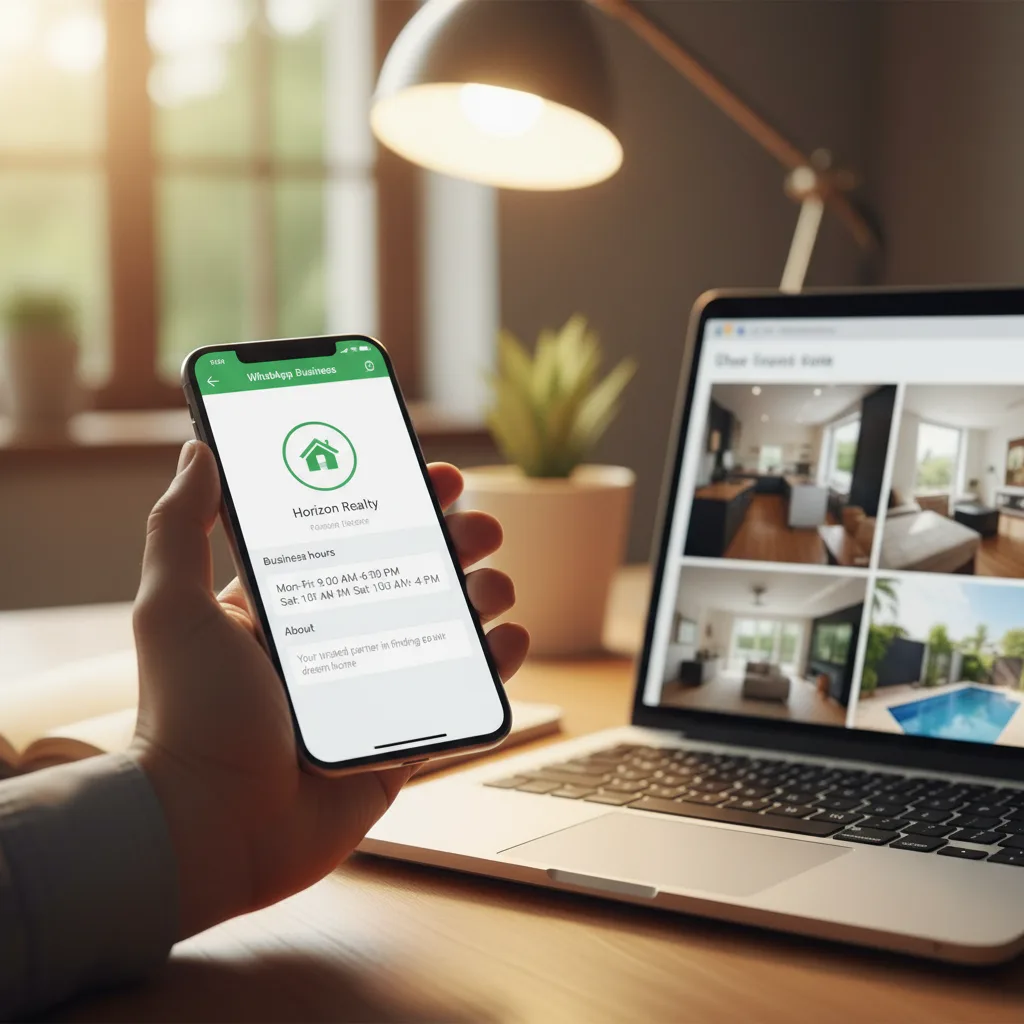
The first thing a buyer sees when your message arrives is the profile preview. If it looks like a personal account named “John 📱” with no photo, the reply rate drops before you even type a word. Idealista has reported that a complete business profile lifts perceived professionalism by roughly 40%.
A complete profile includes:
- A square logo image, not a vacation photo. If you work under a brokerage, use the brokerage mark or a co-branded version. Avoid filters.
- A precise business name. Use the format buyers expect: Your Name — Brokerage Name. Adding the city helps if your name is common.
- A short description that names the city and specialization in one line. Compare “real estate agent” with “Phoenix listings, first-time buyers, relocation. Replies within the hour.”
- Business hours so late-night messages do not feel like ignored ones.
- A website link that points to a relevant property page or your listings hub, not just a homepage.
- A category set to Real Estate. This unlocks features in some regions.
Skip the catalog feature unless you sell new construction inventory. For the resale market, listings move too fast for the catalog to stay accurate.
Quick Replies, written like a person
Quick Replies are the secret to hitting five-minute response times without sounding canned. Set up six to ten of them and you can answer most first-touch inquiries with one tap and a one-line personalization.
The trick is to write them so the buyer cannot tell they were templated. Forbid yourself from using corporate phrases like “We received your inquiry” or “Thank you for reaching out.” Write the way you would actually text a friend who is house hunting.
A good library of Quick Replies covers:
- First-touch reply to a portal lead
- First-touch reply to a yard-sign call
- Sharing extra photos
- Sharing the virtual tour link
- Confirming a showing
- Day-of showing reminder
- Post-showing pulse check
- Soft re-engagement after a week of silence
We will write specific versions of these in the next section.
Labels, the underrated feature
WhatsApp Business labels are the closest thing the app has to a CRM. They are also the most ignored. Build a label scheme that mirrors your buyer pipeline and use it religiously.
A clean labeling scheme looks like this:
| Label | Meaning |
|---|---|
| New | Inquiry less than 24 hours old, awaiting first qualifying questions |
| Qualified | Pre-approval status confirmed, timeline understood |
| Showing Set | Appointment booked, awaiting visit |
| Active | Showed at least one property, actively shopping |
| Offer | Currently negotiating |
| Cold | No reply in 14+ days, candidate for re-engagement |
| Past Client | Closed a deal, kept in sphere |
Apply the label the moment a contact moves stages. The label is a forcing function: if you cannot apply one, you do not actually know where the buyer stands. That is a useful piece of information by itself.
The two-number problem
A separate phone number for business is non-negotiable once volume picks up. Mixing personal and business in one WhatsApp account is the fastest way to send the wrong photo to the wrong person, miss a buyer reply during dinner, or look unprofessional when a buyer screenshots your status.
The cheapest fix is a dedicated eSIM on the same handset, paired with WhatsApp Business on that line. WhatsApp Business is a separate app from regular WhatsApp, so the two coexist on a single phone without conflict. Some agents prefer a second physical device. Either works. Sharing one account is the option to avoid.
If you want a hands-on walkthrough of the WhatsApp Business app itself — categories, quick reply syntax, label management, and broadcast lists — this tutorial covers the full setup in plain language:
Run the Inquiry-to-Showing Sequence
The first hour of a buyer relationship determines whether they ever schedule a showing with you. Most agents lose buyers in this window not because they are bad at sales but because their first message reads like a form letter.
A clean sequence has four moves: respond fast, qualify without interrogating, share the listing the way the buyer wants to see it, and ask for the showing. Each move has a template, but each template needs to feel like it was written for that buyer.
Move 1: Reply within five minutes, in plain language
Ditch the corporate opener. The buyer wants confirmation that a real human saw the inquiry and is ready to help.
A weak first reply:
Hello, thank you for your interest in our listing at 1234 Oak Street. We will be in touch shortly to discuss your requirements.
A stronger first reply:
Hey [Name], saw your note on the Oak Street place. Quick question before I send over more details — are you looking to move in the next 60 days, or still browsing? Either way is fine, just helps me send you the right info.
The second version does three things. It uses the buyer’s name, it asks a useful question without sounding like a screening, and it normalizes the “just browsing” answer so the buyer does not ghost out of pressure.
Move 2: Qualify without sounding like a form
Qualifying questions are necessary. Asking five of them in one message kills the thread. Spread the questions across two or three exchanges, and tie each one to a useful next step.
The four questions that matter most:
- Timeline. “When ideally would you want to be moved in?”
- Financing. “Are you already pre-approved, or still working on that part?”
- Geography. “Are you tied to this neighborhood or open to a few options nearby with similar layouts?”
- Deal-breakers. “Anything that would automatically rule out a place — like one floor only, no HOA, must have a yard?”
Notice the soft phrasing. Each question is paired with “if not, that is fine.” Buyers volunteer real information when they do not feel cornered.
Tip: If a buyer answers all four questions in the first hour, you are talking to a serious lead. Drop everything and book the showing. Slow buyers will spread the answers across two days.
Move 3: Share the listing in chat, not as a link dump
Sending one MLS link with no context is the laziest move on this list. The buyer already saw the listing on the portal. They are messaging you because they want more.
A useful share looks like this:
Here are a few extra photos the listing didn’t show — the kitchen pantry, the basement layout, and the back yard from a different angle. Also a quick 60-second walkthrough video. Tour link is at the bottom if you want to walk it virtually before deciding to visit in person.
Then send the actual files in the same thread.
This kind of share works because it gives the buyer information they could not get from the portal. It also gives you a reason to open the conversation again later — “Wanted to send you the floorplan I forgot earlier” is a clean re-engagement excuse.
Move 4: Ask for the showing with a real proposal
“Let me know if you want to see it” is a passive close. It puts the work on the buyer.
A direct close gives two specific options:
I can show it Saturday at 11 a.m. or Sunday at 2 p.m. Which works better? If neither, weekday evenings are also open.
Two slots and a fallback. The buyer picks faster because the decision is small. If the buyer hesitates, you have an obvious follow-up: ask what time would be easier.
For a fuller breakdown of how to convert these conversations into actual signed listings, the BrightShot guide on how to get more listings as a realtor walks through the larger pipeline mechanics this WhatsApp workflow plugs into.
Send Visuals That Actually Get Replies
The single biggest unlock for WhatsApp as a buyer-pipeline channel is the ability to send rich visuals inline. A photo, a tour link, a 60-second walkthrough, a before-and-after of a staged room — all delivered in the same thread, all viewable in three seconds.
This is also where most agents underuse the channel. They send the same hero photo the buyer already saw on Zillow and assume it does work. It does not.
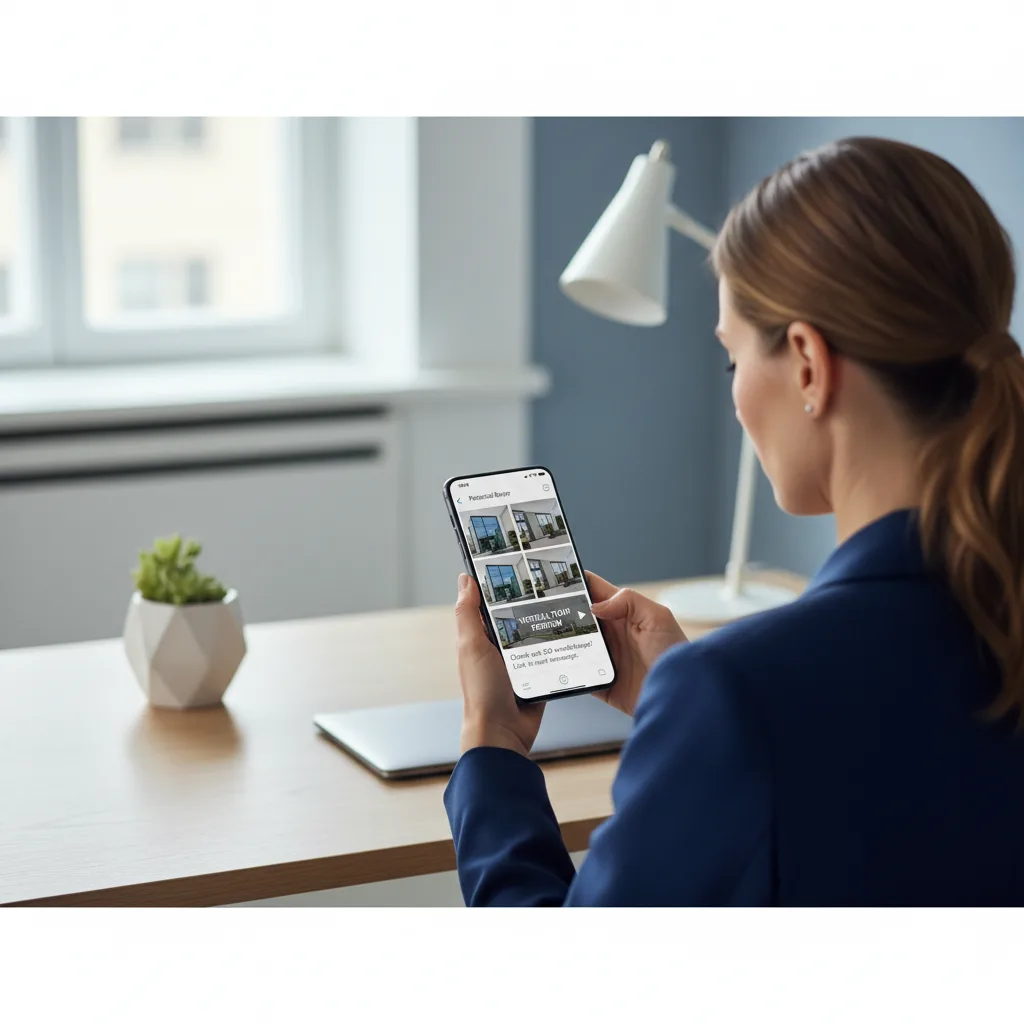
Match the visual to the buyer’s objection
Every buyer has a specific reason they have not booked the showing yet. Your job in chat is to figure out the objection and answer it with a visual.
| Buyer hesitation | Best visual to send |
|---|---|
| “Can’t tell the layout from the photos.” | Floorplan + a 60-second video panning room to room |
| “The empty rooms look small.” | AI virtual staging that shows the rooms furnished |
| “The kitchen looks dated.” | Before-and-after of a light AI redesign |
| “Photos look gloomy.” | Day-to-dusk lighting edit of the exterior |
| “Yard is hard to read.” | Aerial photo + landscaping potential render |
| “Worried about the neighborhood.” | Short street-view video walking to nearby cafes or schools |
This is also where the AI part of the modern agent toolkit pays for itself. You can produce most of these visuals in minutes instead of arranging another shoot. AI-driven virtual staging software for real estate lets you send a furnished version of an empty room within the same chat where the buyer raised the objection. That kind of speed is what buyers remember.
Keep videos short, on purpose
A two-minute walkthrough video is too long for chat. The buyer will tap once, watch ten seconds, and scroll on.
The right format is 45 to 75 seconds, vertical, with the agent narrating in a calm voice. Open with the room the buyer asked about. Mention one detail the listing photos do not show. Close with a sentence inviting a question.
If you are not sure how to frame these, the BrightShot piece on how to make a real estate video covers the structure that performs best on phone screens.
Tour links over photo carousels
For the high-intent buyer, a 360° tour link beats a photo carousel every time. The buyer can wander on their own, build their own mental map of the home, and arrive at the showing with specific questions instead of generic curiosity.
The tour link should be one tap from the chat thread. Avoid PDFs, no log-in walls, no five-step gallery viewers. The simpler the path, the higher the click-through. The BrightShot reference on how to create virtual tours for real estate covers the mechanics; the WhatsApp piece is just to drop the link in chat alongside a one-line nudge: “Walk it virtually before Saturday — takes about three minutes.”
Key takeaway: A buyer who explores the tour before the showing arrives at the property already half-sold. The on-site visit becomes a confirmation, not a discovery.
Watermark photos lightly, never aggressively
Branding matters, but a giant logo across the kitchen photo signals amateur, not professional. Keep watermarks small, in a corner, and consistent with your profile image. The same is true for video end-cards — three seconds of brand, never ten.
Here is a tight tutorial on shooting a one-take property walkthrough on a smartphone — the exact format that performs in chat:
Build a Follow-Up Cadence That Doesn’t Annoy
The follow-up problem in real estate is not under-contact. It is bad-contact. Sending “Just checking in!” every three days is the chat equivalent of a leaky faucet. The buyer mutes the thread or blocks the contact, and a perfectly viable lead disappears.
A better cadence has two rules. Every message should give the buyer something useful, and the cadence should taper as time passes.
The five-touch sequence after a showing
Post-showing follow-up is where most listings are won or lost in chat. Run a deliberate five-touch sequence rather than improvising.
- Same evening, after the showing. A short note that recaps one specific thing they liked and one specific question they raised. “Thanks for walking through Oak Street today. You mentioned the basement felt smaller than it looked online — I just measured, it’s 22x14, here’s the updated floorplan.”
- Day two. Useful, not pushy. Send one comparable nearby listing as a frame of reference. “Here is a similar place a few blocks east, listed 30k higher. Wanted you to see how Oak Street prices against the neighborhood.”
- Day four. Address the unspoken objection. If the buyer hesitated about price, send a short note about days-on-market and seller flexibility. If they hesitated about prep, send a quick AI-staged version of the room that worried them.
- Day seven. Direct check-in. “Are you still considering Oak Street, or has it dropped off the list? Either answer is helpful.” Buyers respect directness more than most agents expect.
- Day fourteen. If still no reply, switch the cadence to monthly. The lead is not dead, just dormant.
The reactivation play for cold buyers
A buyer who went silent ninety days ago is not gone. They are stuck. Reactivate them with a single message that gives them a reason to re-engage.
A weak reactivation:
Hi [Name], just wanted to check back in! Anything I can help with?
A stronger reactivation:
Hey [Name], the place on Oak Street that you walked through three months back just dropped 25k. Wanted to flag it in case it changes the math for you. Happy to send updated photos if useful.
Anchor the message in something specific that has changed. Price drops, new comparable closings, a fresh listing that matches their stated criteria. Generic check-ins fail; specific updates restart conversations.
When to switch off WhatsApp entirely
There is a point in every buyer relationship where chat stops being the right tool. Once the buyer is writing offers, the conversation needs phone calls and email trails. Once a contract is signed, the chat thread becomes a logistics layer for showing instructions, key handoffs, and quick photo confirmations, while the legal documents move through email.
The buyers who appreciate this are the same buyers who refer you to friends. Knowing when to escalate the channel is a form of professionalism that does not show up on a marketing site but does show up in client retention.
For a fuller view of what a strong end-to-end follow-up workflow looks like beyond chat, this guide on understanding lead generation in sales frames the whole pipeline as a system, not a set of disconnected tactics.
Stay Compliant Without Killing Productivity
WhatsApp can absolutely become a problem channel if it is used carelessly. Account suspension, GDPR fines, and TCPA exposure are all real and all avoidable. The upside is that compliance for a buyer-pipeline workflow is much lighter than for cold outbound, because every conversation begins with the buyer reaching out first.
That distinction matters. The compliance burden falls on agents who push messages to people who never asked. If the buyer initiated the inquiry, you are on solid ground for the reply. The rules tighten when you start using the contact for marketing later.
The four rules that prevent ban risk
- Never import a purchased contact list into WhatsApp. Mass-messaging strangers is the surest way to get the account flagged within hours.
- Use Business templates only for buyer-initiated threads. Outside the 24-hour conversation window, WhatsApp restricts which messages you can send. Do not work around this with creative timing — the platform tracks it.
- Always allow easy opt-out. A line as simple as “Want me to stop messaging? Just reply STOP” covers most jurisdictions and prevents complaints, which are what trigger reviews.
- Do not add buyers to broadcast or group chats without consent. WhatsApp groups can include up to 1024 members but using them for marketing is the fastest way to lose an account.
GDPR, TCPA, and what to actually do
In the EU and UK, GDPR requires a documented lawful basis for processing contact data. For a buyer-initiated inquiry, that basis is legitimate interest or consent, depending on how the lead came in. Document where each contact came from and store that note alongside the chat thread. A simple text file per buyer is enough for most solo agents.
In the US, TCPA covers automated and texted commercial messages and requires prior express consent for many forms of contact. The safe pattern: only message buyers who voluntarily provided the number through a contact form, a direct call, an open house sign-in, or a yard-sign reply. Avoid messaging numbers scraped from public records or harvested through third parties.
Tip: Add a short consent line to every form you use to capture buyer contacts: “By submitting, you agree to receive WhatsApp and SMS replies from us about this property.” That line saves hours of compliance review later.
Backup the conversation history
WhatsApp chat threads are evidence. They settle disputes about what was promised, what was disclosed, and what was confirmed. Export the conversation when a buyer goes under contract and store the file in your client folder alongside the contract. Most agents discover the value of this only after a closing dispute makes them wish they had it.
Track the Numbers That Diagnose Your Pipeline
You do not need a CRM to measure your WhatsApp pipeline. You need four numbers, tracked weekly, written down somewhere you will actually look.

| Metric | What it tells you |
|---|---|
| Reply rate to first-touch messages | Whether your opener earns engagement or sounds canned |
| Time to first reply | Whether your speed is hitting the five-minute window |
| Showing rate from qualified leads | Whether your qualifying questions and visual shares actually move buyers |
| Showing-to-offer rate | Whether the in-person experience matches the chat experience |
A healthy pipeline shows reply rates above 60%, time-to-first-reply under ten minutes, showing rates around one in three qualified leads, and an offer rate above 15% from showings.
Spot template fatigue early
Quick Replies degrade. A template that pulled 70% reply rates last quarter may pull 40% this quarter, because the same buyers are seeing similar messages from competing agents. When the reply rate drifts, rewrite the template before you lose two more weeks of leads.
A simple test loop: pick the Quick Reply that most leads see (usually the first-touch reply), write a second version that opens differently, and alternate which one sends to new inquiries for two weeks. The version with the higher reply rate becomes the new default. Repeat every quarter.
This kind of weekly review is not glamorous. It is how you prevent the slow erosion that kills agent pipelines without anyone noticing.
Make WhatsApp Your Buyer Pipeline
WhatsApp is not a magic tool. It is a channel that matches how buyers already behave. The agents who win on it are not the ones who message the most — they are the ones who reply fastest, send the right visual at the right time, and keep the conversation moving toward a showing without ever sounding like a script.
If you want WhatsApp for real estate to actually pay off, build the small system. Set up the profile properly. Write five Quick Replies in plain language. Label every contact by stage. Send visuals matched to the objection. Run a five-touch follow-up after every showing. Track four numbers a week.
Start narrower than your ambition. Pick the five buyers in your pipeline right now who went quiet in the last thirty days, and run a one-line reactivation message tailored to each. That single exercise will tell you more about the channel than any guide can.
The agents who treat WhatsApp as a working tool — not as a megaphone, not as another inbox to ignore — end up with a buyer pipeline that compounds. Every conversation you keep alive is a future showing. Every showing you book is a future offer. The rest is consistency.
If you want your WhatsApp threads to send visuals that actually move buyers off the fence, BrightShot helps agents create listing-ready images in minutes — AI virtual staging for empty rooms, day-to-dusk exterior edits, light decluttering, cinematic walkthrough videos, and 360° tours. It is a practical way to answer a buyer’s hesitation in chat without scheduling another shoot or waiting on an editor.

